
Reviewed June 2026, written from Tesla’s own Service Mode documentation plus named owner and vendor sources; where a figure is owner-reported rather than documented, the copy says so.
A used Tesla hides its life better than a petrol car. There is no exhaust note to read, no oil to smell, no service book stamped at a dealer you can call. But the car keeps its own record, and Service Mode is how you read it. Fifteen minutes on the seller’s touchscreen tells you more than any listing description: the battery’s real health, the fault history, whether the air conditioning has been worked to death in the sun, whether the car has met a crash or a flood, and whether you are buying HW3 or HW4.
One honest limit before anything else, because it is the whole game: Service Mode is a symptom reader, not a flight recorder. It shows the car’s condition now and its alert history. It does not show an air-conditioning run-hours counter or a how-long-it-baked-in-the-sun field, no such number exists. So the heat story, which matters most in the UAE, is triangulated from several panels rather than read off one. This page shows you exactly how, panel by panel, in the order the value lives.
The six things to read, in order of value
How to get in, and the one rule
Tesla documents the door openly. On the touchscreen: Controls, then Software, then touch and hold the word MODEL under the badge for about two seconds, and type the access code service. The screen announces Service Mode in red, newer firmware draws a red border around the interface instead. To exit: Controls, Service Mode, Exit Service Mode. No cable, no OBD port, no subscription, any owner can open it, which means any seller can let you look. The path comes from Tesla’s own Service Mode user guide and the current service manuals, this is a documented feature, never a hack.
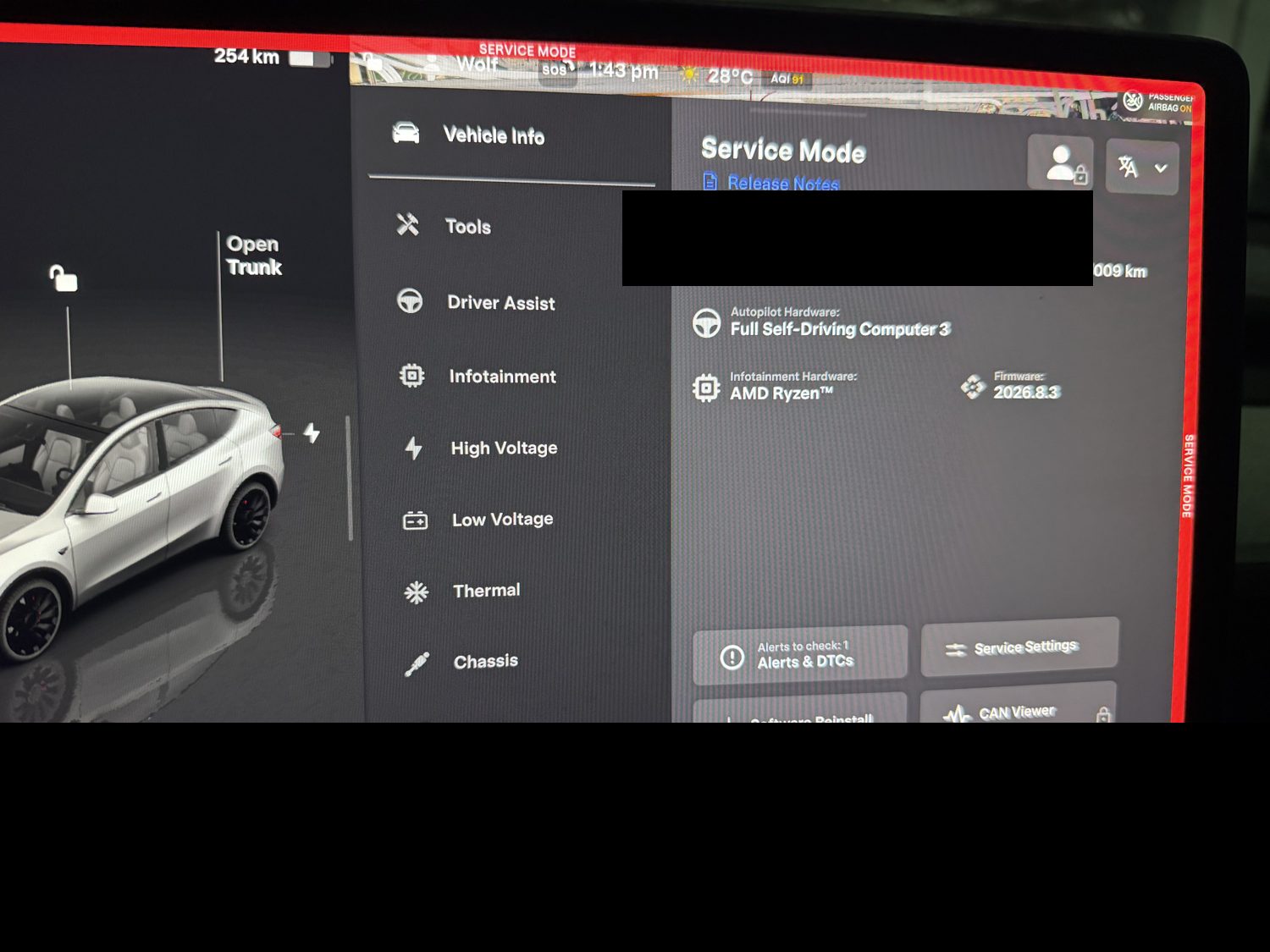
The rule: read, don’t run, don’t drive. Service Mode limits speed and torque and switches off some safety features, so the car does not get driven in it. And Tesla’s guide is explicit that the diagnostic routines, the buttons that reset, calibrate, or open things, belong inside service procedures only, some can damage the car or stop it charging. For a buyer the line is simple: looking at panels is safe, pressing action buttons is where the damage lives. You are there to read, not to fix. Two practical notes: the seller has to allow it, you cannot enter while driving, and there is a deeper tier called Service Mode Plus that needs Tesla’s paid Toolbox software on a laptop, so a few granular readouts below are marked technician-only.
The alert log, the car’s last hundred confessions
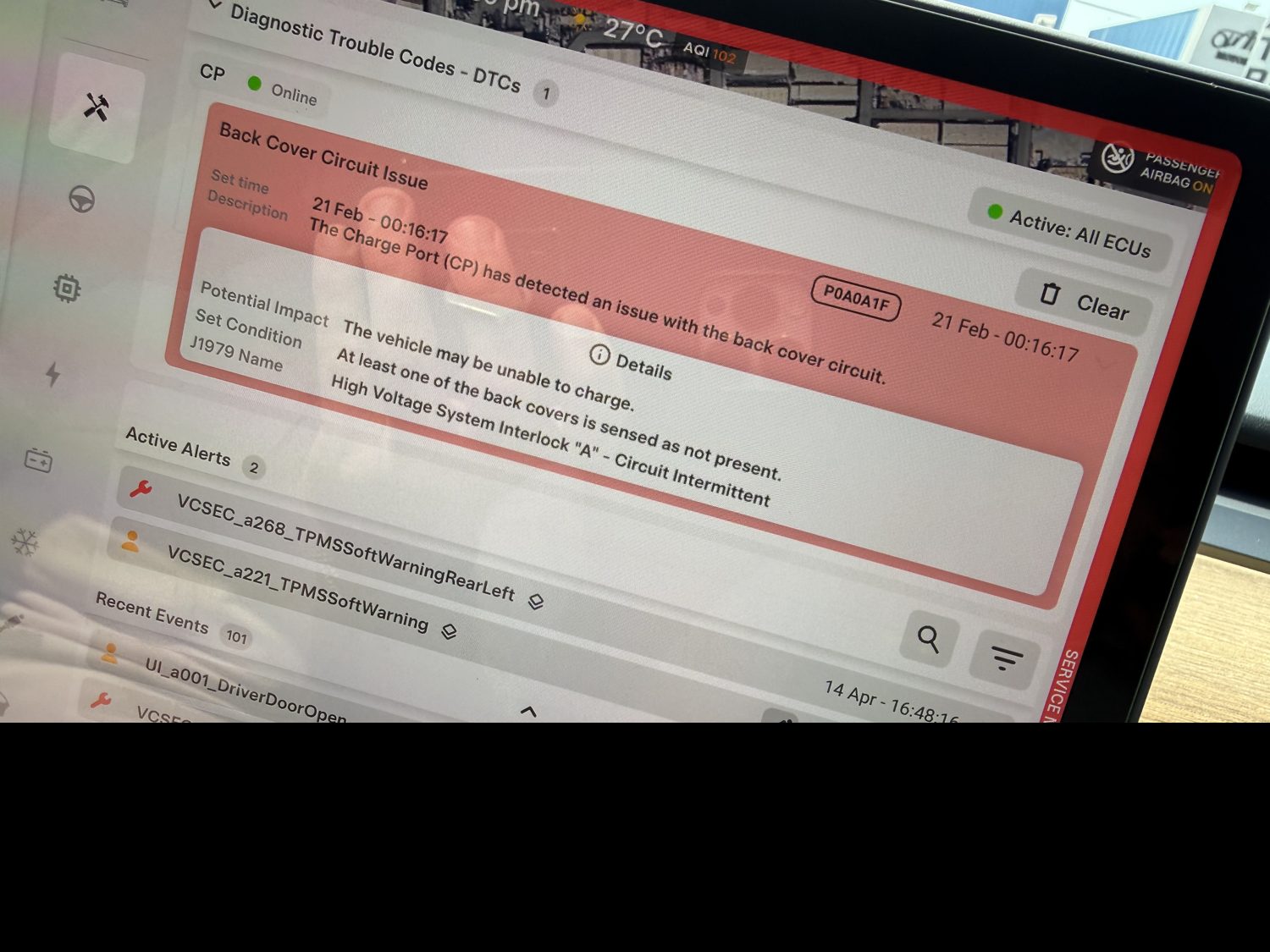
Open Tools, then Alerts and DTCs (older firmware files it under Vehicle Info as Service Alerts). It splits into active alerts, what is wrong now, and recent alerts, the last 100 entries in order. Tesla draws a line worth respecting between the two species: an alert can be benign noise, a charging-station error, a connectivity blip, while a DTC is a confirmed fault that needs service and latches across power cycles.
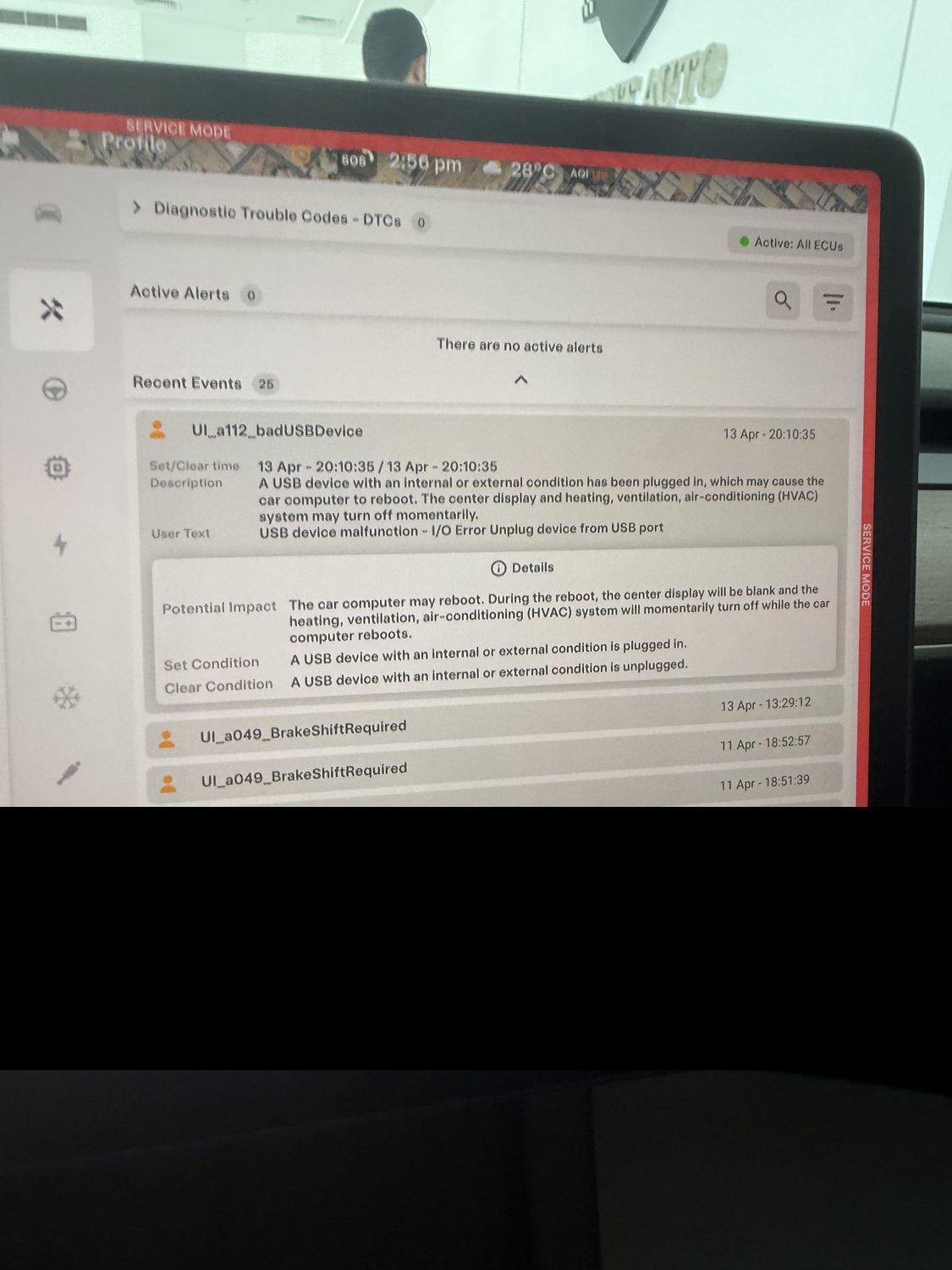
How to read it like a buyer. A few service-fix items are normal, the classic benign examples are the aero-shutter codes, which owners report Tesla itself waves off as unimportant. The red flags are specific: anything red, any code starting with BMS (the battery), any restraint or airbag DTC, recurring or latched faults, and the entry that reads “loadshedding due to a vehicle collision,” which is exactly what it sounds like. Two traps to know. The DTC panel has clear-all buttons, so a seller or a shop can wipe DTCs before a sale, the 100-entry alert history is harder to scrub, which is why it is where the car’s real life shows. And if the screen says “Failed to load alerts,” the log did not read, an empty screen is no proof of a clean history, retry it. In the UAE this log is your prior-accident and prior-flood radar, hold whatever you find against the isolation reading in the import check below.
The battery, what you are actually buying
The traction battery is most of the car’s value, so this is where the viewing minutes go. The definitive number is Tesla’s own state-of-health test, under High Voltage, HV Battery, Health Test: the car drains low, fills to 100 percent on AC, and reports one percentage, the energy the pack still holds versus new. The honest catch is logistics, it wants 12 to 48 hours plugged in, so you will rarely run it during a viewing. The viewing-day proxy is older and still good: charge to 100 percent once, read the rated range, compare it to the trim’s original figure.
What normal looks like, so the number means something: Tesla’s published fleet data has the Model 3 and Model Y Long Range averaging about 15 percent capacity loss at 200,000 miles, around 320,000 km, front-loaded then flattening, so five to seven percent on a young car is ordinary aging. The battery warranty floor is 70 percent within 8 years and 192,000 km on Long Range and Performance, 160,000 km on Standard Range. A low-mileage car already measuring near 70 is anomalous, walk away from it.
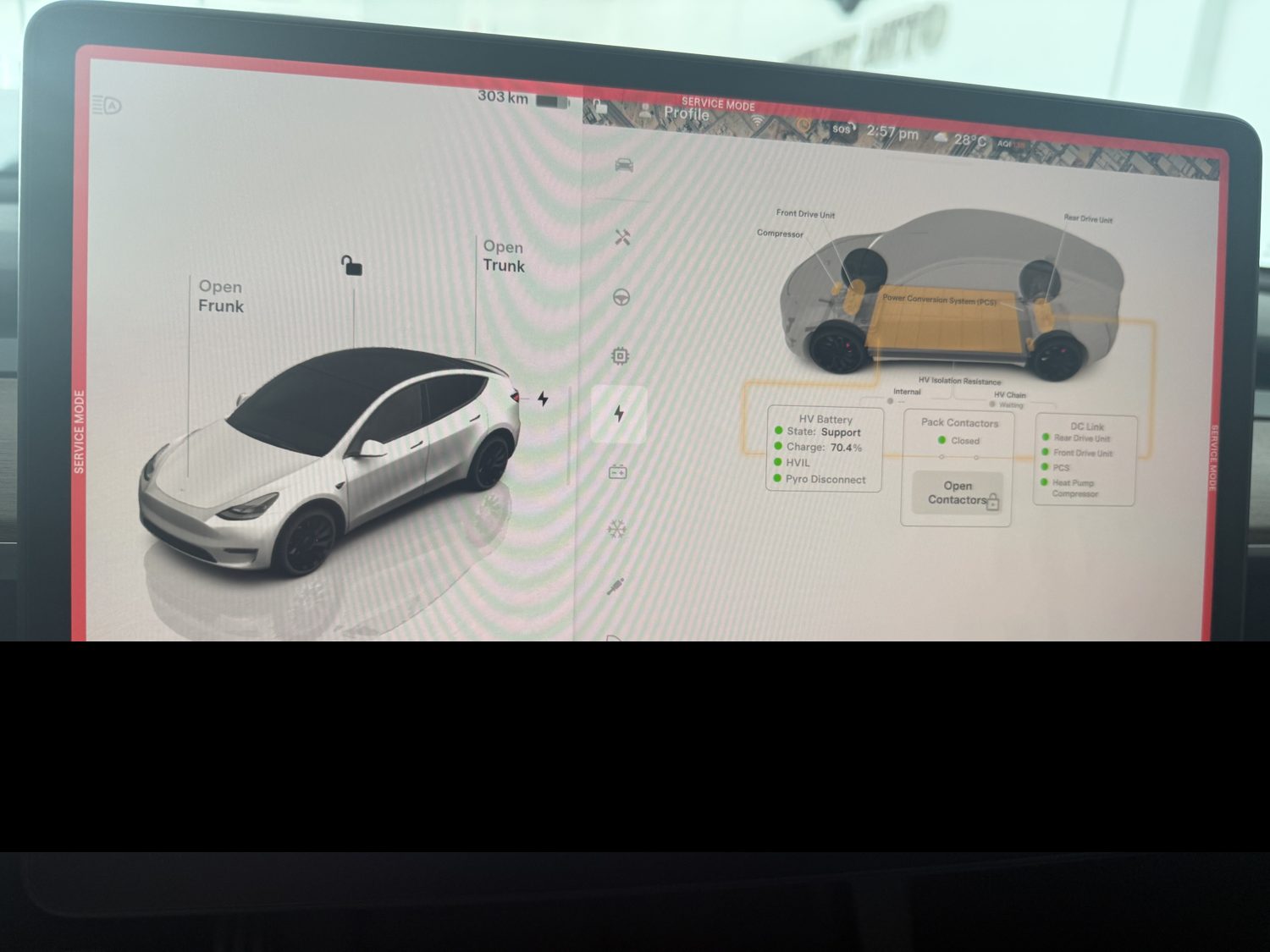
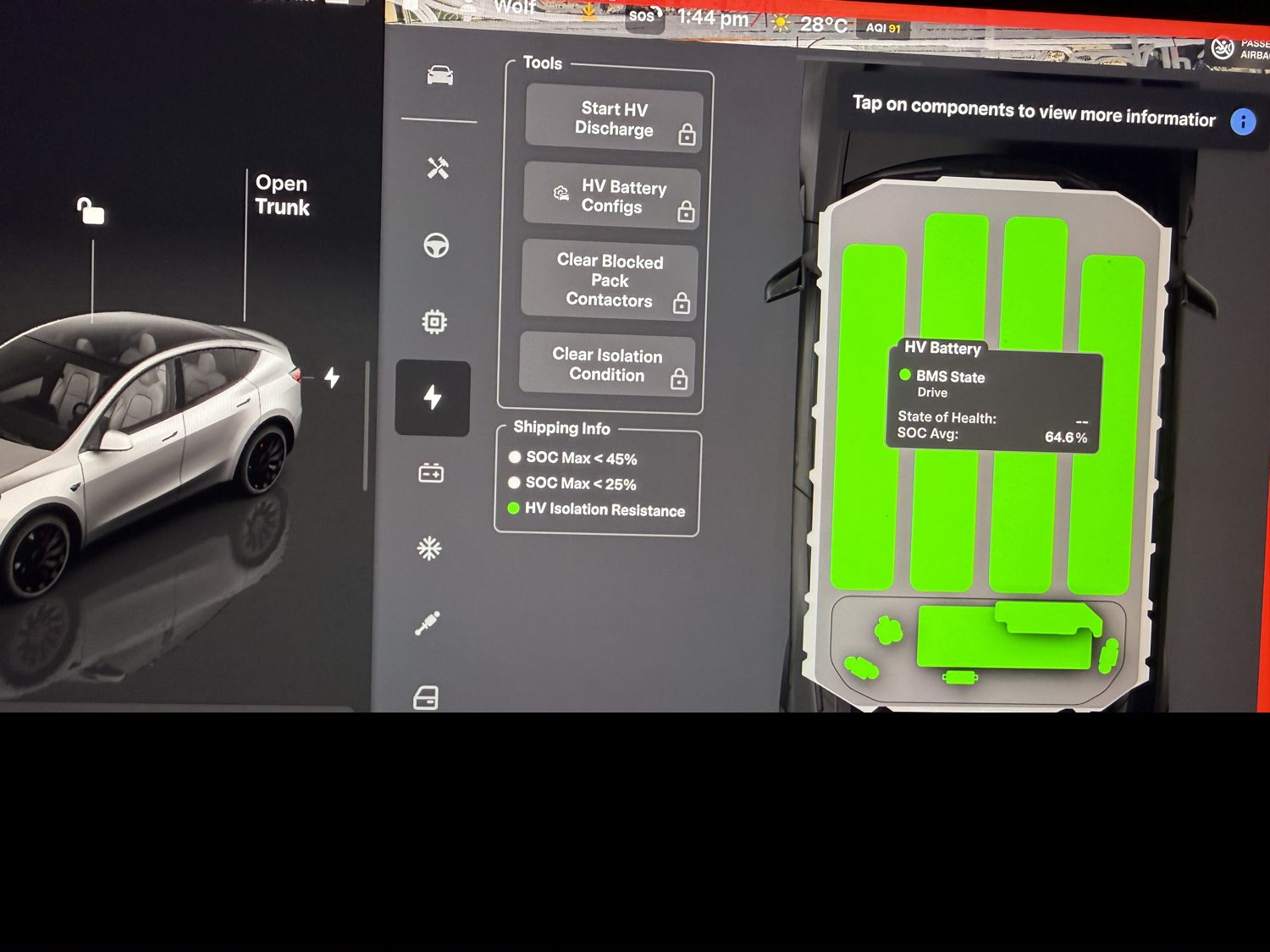
Two deeper readouts live in the BMS data, partly technician-tier. Cell imbalance in millivolts, the gap between the strongest and weakest cell group: single digits is healthy, it is never zero, and vendor guides put eight millivolts at “pretty good.” One brick fanning away from its siblings at high and low charge is the fingerprint of a weak module. Isolation resistance: vendor and documentation figures expect roughly 1,800 kilo-ohms and up at the BMS level, above 2,000 on the HV system page, low values mean a leak path, usually moisture where it should not be. The stop-sign codes, per the BMS repair vendors, with the honest note that vendors who sell pack repairs lean optimistic on everything else: BMS_u029 (max charge reduced, can cap range hard), BMS_u025 (internal BMS fault, often water or corrosion), and any BMS_f123-family isolation error. Imbalance warnings alone often clear with balancing; a latched u029, a u025, or an f-prefix code is where you stop.
Chemistry footnote that prevents a false alarm: Long Range and Performance cars run NMC packs and live around an 80 percent daily charge, while Standard Range cars run LFP, and Tesla recommends charging LFP to 100 percent regularly, that is calibration, never abuse. LFP’s state-of-charge estimate drifts between full charges, so distrust a single LFP range reading taken days after the last full charge. And the UAE lens for the whole section: heat is the main degradation accelerant, the literature has the rate roughly doubling per ten degrees Celsius of sustained cell temperature, no source quantifies a UAE-specific delta, so treat the direction as solid and the magnitude as unmeasured. A Gulf car testing well below the published curve for its age has lived hard, price it that way.
HW3 or HW4, the cleanest signal on the car
This one does not even need Service Mode. Software, then Additional Vehicle Information shows an Autopilot computer field reading 2.5, 3, or 4, Tesla added the field in the 2024.38 update, and Service Mode’s vehicle info shows the same answer. Confirm it with no screen at all: HW4 cameras carry a red lens tint, the windshield housing shows two red lenses and one black blank, HW3 lenses are clear. Why it deserves a paragraph in a history guide: there is no retrofit from HW3 to HW4, Tesla has said so, new driver-assistance work lands on HW4 first, and as of 2026 nothing unsupervised exists for HW3 at all. A HW3 car is a capped asset for anyone who cares about that roadmap, so verify the hardware before paying any software premium, our hardware cliffs page maps when each factory crossed over and what the boundary is worth in dirhams. While you are in the area, the Driver Assist panel’s camera view should show green across the board, a camera that keeps recalibrating can hint at prior windshield or body work.
The heat pump, the panel our climate makes expensive
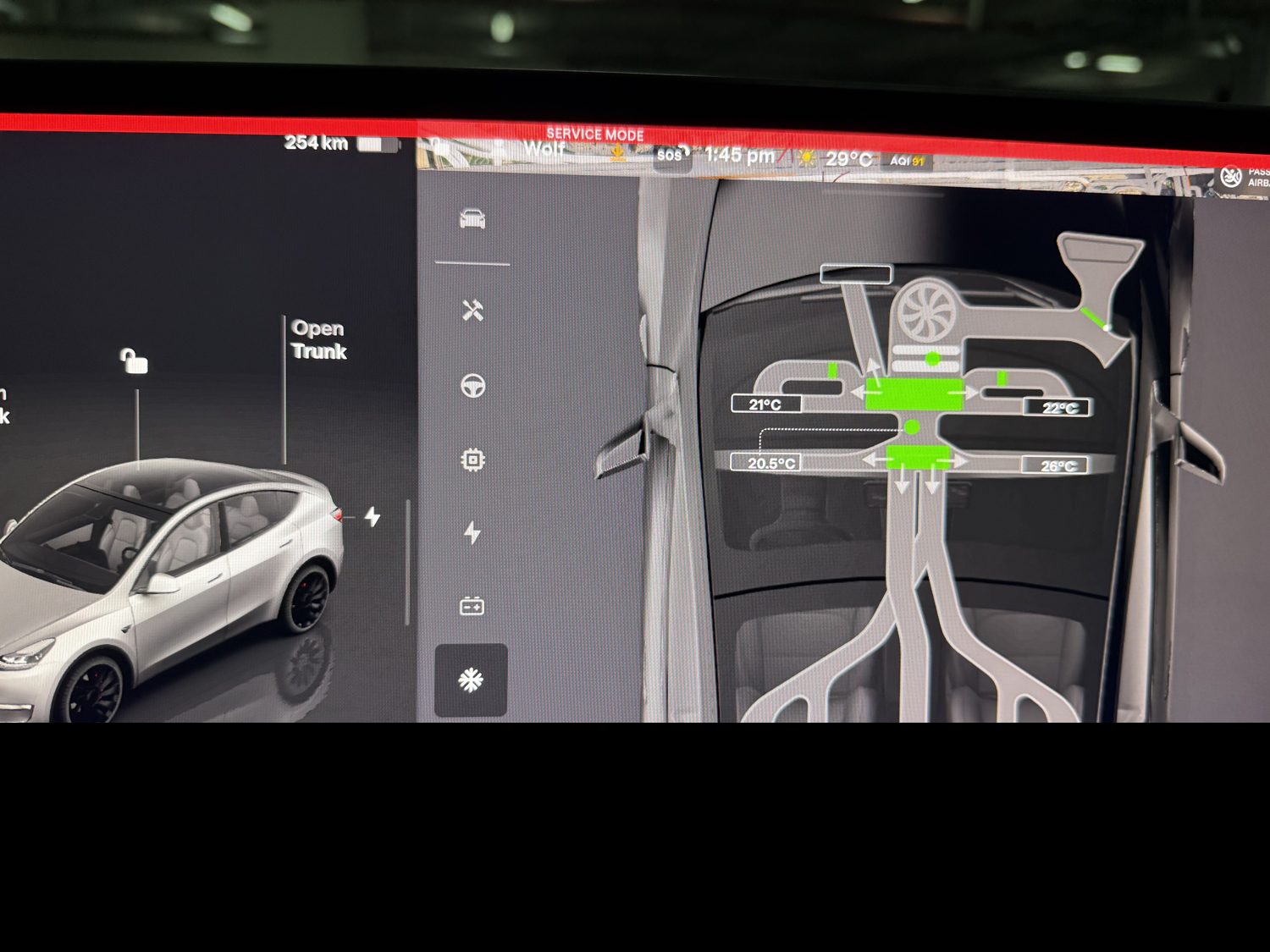
The Thermal page shows the live coolant loop, the heat-pump system, and the cabin filter status, and offers an HVAC performance self-test. The hardware behind it, the Octovalve and the coolant manifold, is shared by every heat-pump car, which is every Model Y and the Model 3 from its 2021 refresh on. The known failure has a name owners use without smiling, the squeal of death: a sharp metallic squeal from the nose, most often during preconditioning, the compressor running short of lubrication. It fails two ways, a sensor or software fault that pushes the system into fail-safe and leaves the vents blowing ambient air, the VCFRONT compressor-inhibited and coolant-valve code families in the log, or the real mechanical failure, where metal shavings contaminate the refrigerant loop and a sensor job becomes a full flush. Out of warranty, owners report AED 9,000 to 16,000 for the bad version. The basic warranty that covers it runs only 4 years or 80,000 km, the 8-year battery and drive warranty does not include HVAC, so a 2022 or 2023 car near that line carries the risk uncovered, price accordingly.
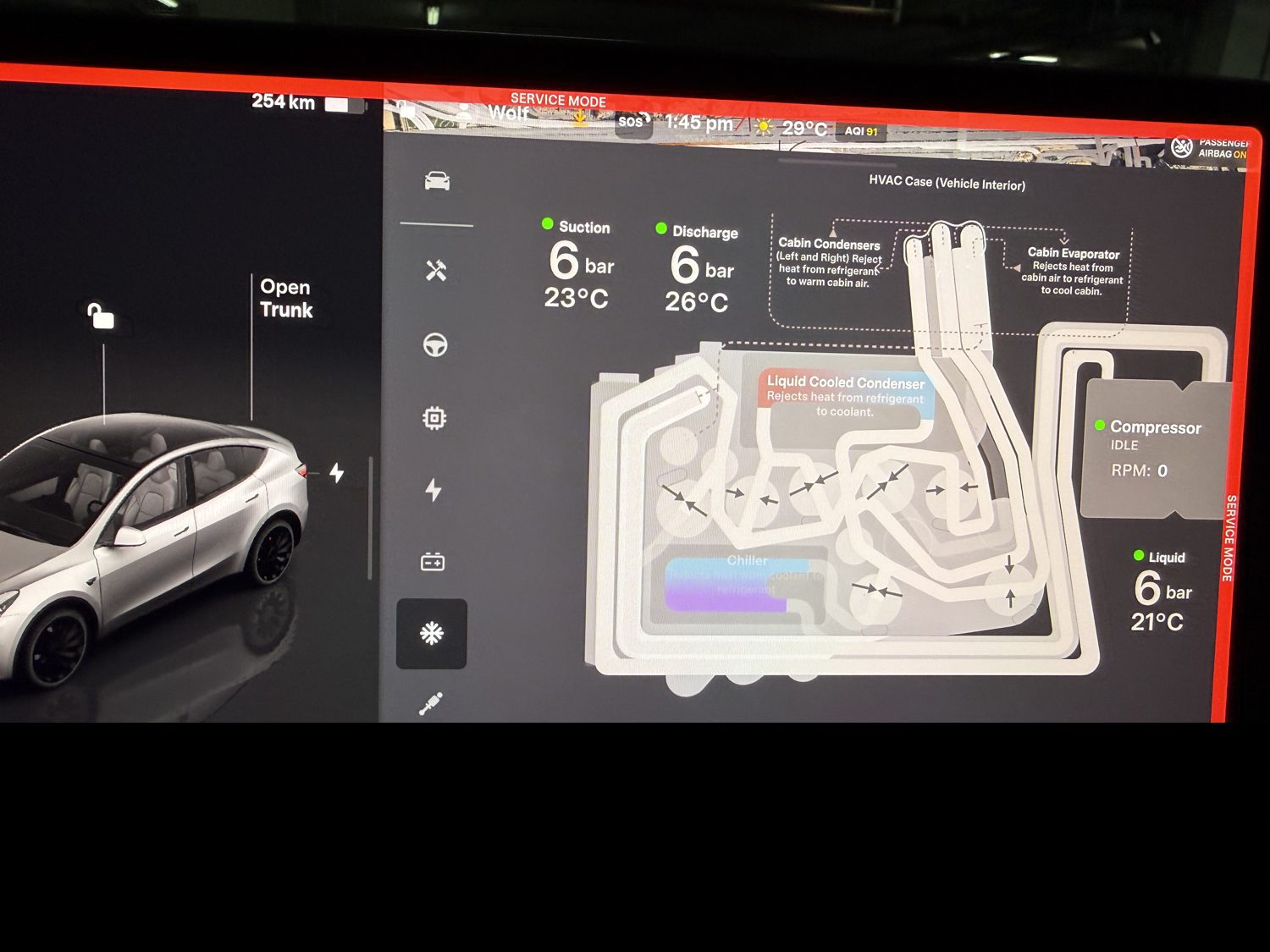
The buyer’s test needs no tools and one hot car. Let it heat-soak in the sun, then run the AC cold and high: a healthy system pulls vent temperature well below what it draws in and recovers the cabin gradually rather than instantly, both dual-zone sides should cool, one warm side points at a dead cabin condenser. Listen at the nose during AC start, any squeal or grind is walk-away or price-in money. Check the cabin filter status on the Thermal page, Gulf dust clogs filters and quietly kills airflow, and sweep the alert log for any compressor or valve history. Worth hearing from an owner here rather than a brochure: a Dubai Model 3 owner on the forums reports cabin cooling that never matched their previous petrol car even with everything technically working, in our heat the battery cooling competes for the same loop, so soft performance plus a clean log is a known character trait, soft performance plus codes is a finding.
The 12-volt, the quiet heat tell
First learn which low-voltage battery the car carries: Software, Additional Vehicle Information, Low Voltage Battery Type, reading lead-acid or lithium-ion. The build heuristic, per the LV repair guides: Shanghai cars before roughly October 2021 and Fremont before roughly December 2021 got lead-acid, everything after runs the 16-volt lithium pack, so a 2022-or-later car should read lithium-ion. In Service Mode, Low Voltage, Power Distribution shows the present health, the readouts you want are DCDC support active, the lithium battery’s MOSFET closed and green, pack voltage in the mid-15s, and no red VCFRONT low-voltage alerts. Note what this panel is by design: a status reader, there is no LV health percentage, so it confirms the battery is fine today and says nothing about the past.
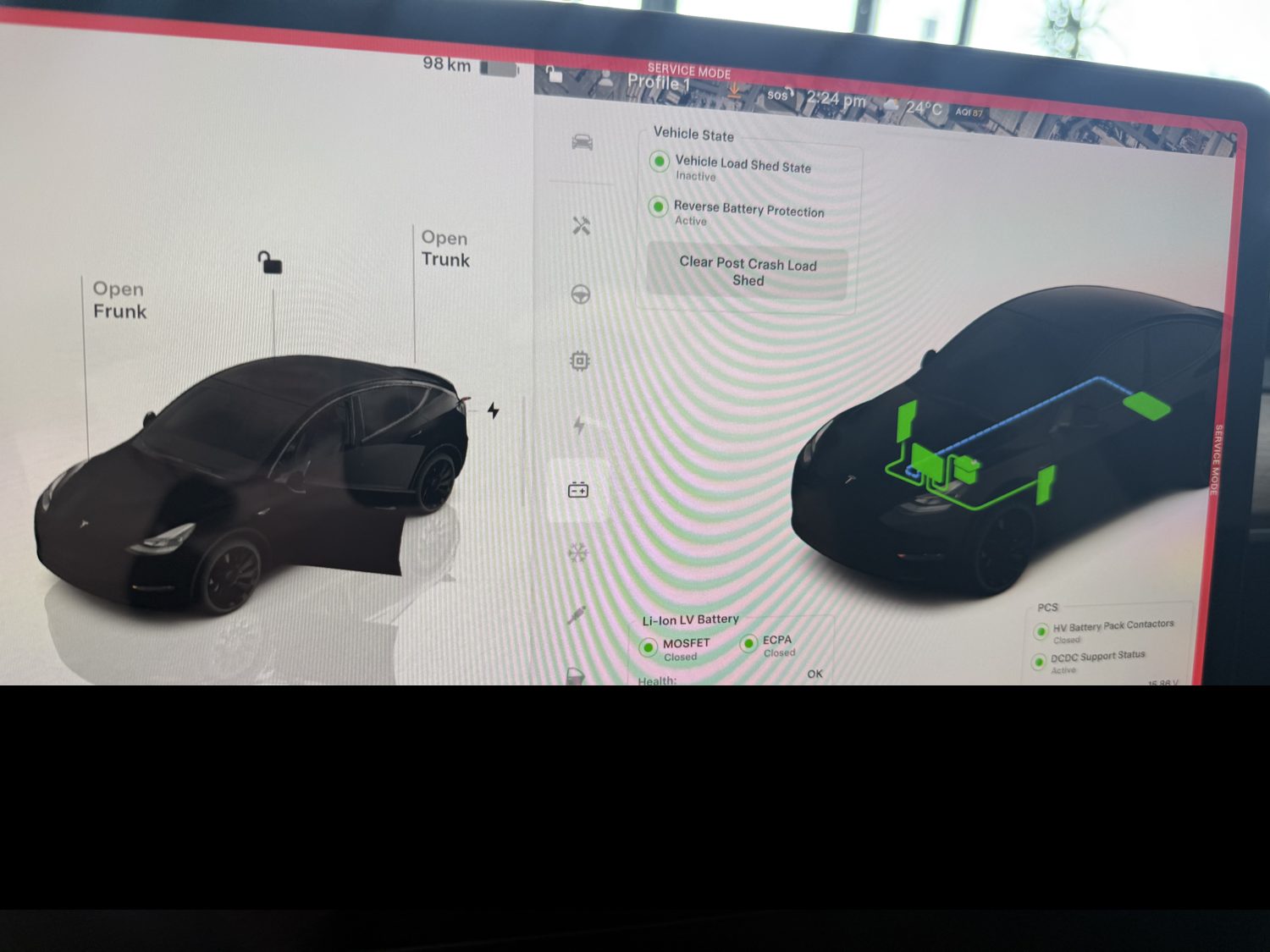
The past lives in the service history instead, and it is one of the best heat tells on the car. The mechanism is documented, heat shortens LV battery life, and the magnitude is owner-reported with a usefully local flavor, a hot-climate 12-volt at two to three years against four to six in temperate countries. So a Gulf car showing two low-voltage replacements in three or four years, or one before year three, is consistent with a hard, hot, sun-parked life, and that conclusion should travel to how you read the battery and AC sections above. The panel confirms today, the history convicts the past.
Crash and flood, the check that protects import buyers
For imports especially, salvage and flood-title cars do get rebuilt and shipped here, this is the panel set that earns the viewing. Safety and Restraints confirms no airbag, pretensioner, occupancy-sensor, or pyro-fuse fault is latched against the restraints control module. Two flags are direct: the collision loadshedding entry in the alert log, and evidence of a replaced restraints module, newer firmware even carries post-replacement routines, a replaced module is itself a collision tell.
Why this beats a polished listing: per the SRS repair specialists, post-accident hard codes, deployed airbags, locked belts, crashed sensors, cannot be cleared by a normal scan tool without resetting or replacing the module, and a flood- or fire-damaged restraints module cannot be reset at all, it surfaces as a persistent, unclearable restraint DTC. So triangulate four things on any import: unclearable restraint codes, HV isolation resistance below the 2,000 kilo-ohm line (moisture in the pack or drive unit), a replaced-module flag, and corroded calipers underneath. Two or more together, walk, there is another car. The provenance paperwork side of the same defense lives in our GCC vs import guide, and the recalls page covers the regulator half of the history question.
The service records, and the trap that catches buyers
Two features hold real records. Service History, inside Service Mode on recent firmware, lists timestamped entries with Tesla’s correction codes, tagged by who logged them, Tesla, a qualified third party, or the owner, and it is permanent, uneditable, and readable by anyone who can enter Service Mode, which makes it the one cross-owner record a buyer can actually see, as far back as entries were logged at all. Maintenance Summary, in the normal Service menu without Service Mode, keeps dated wiper, filter, and tire items with the odometer reading, and stays with the car after resale.
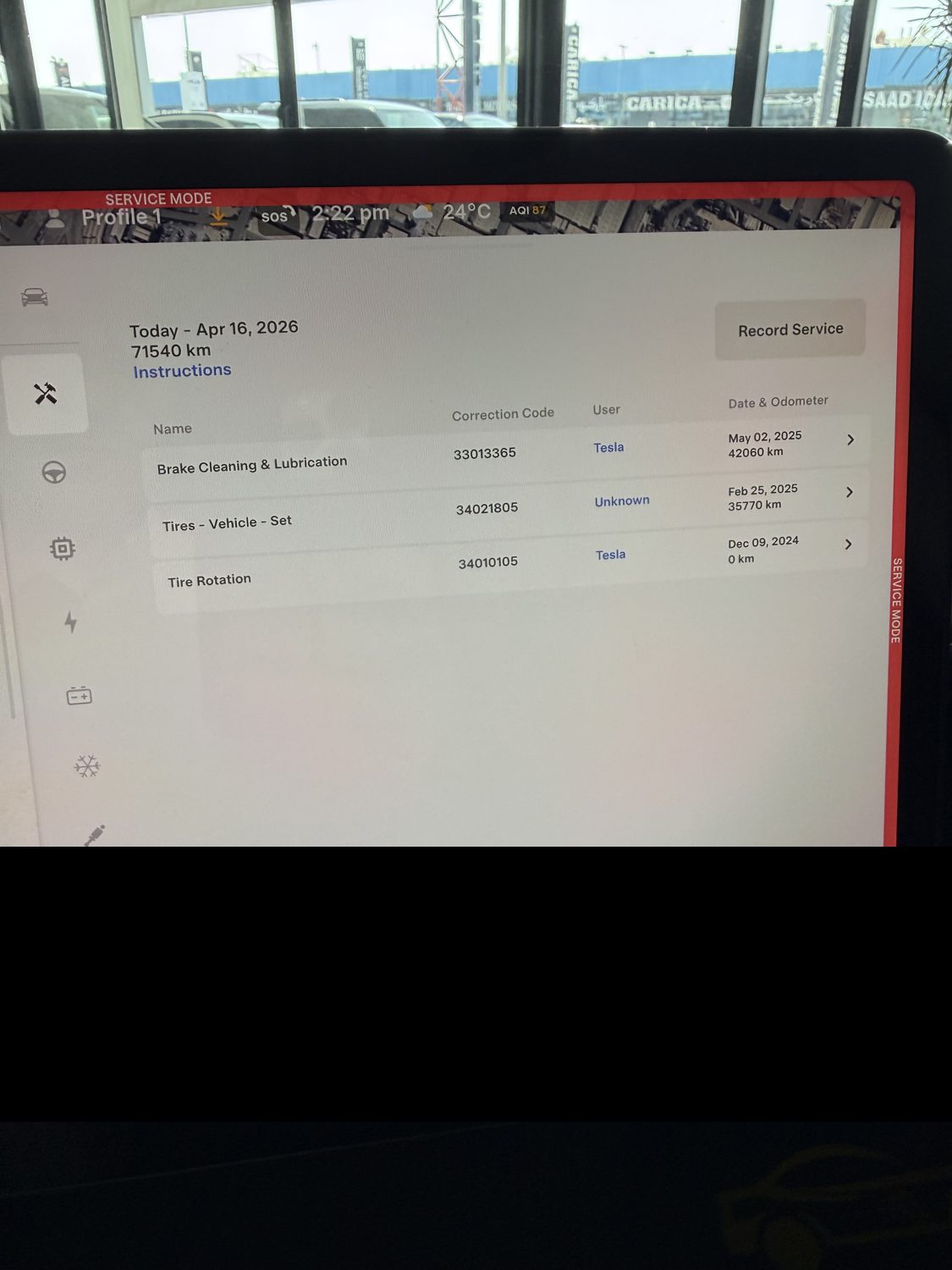
The trap: the Tesla app’s service history resets to the new owner at resale, and Tesla generally will not disclose prior-owner records afterward, owners are told it is a privacy matter, the legal reasoning is disputed, the practical outcome is consistent, you will not get it later. The buyer move costs one minute: have the seller open Service, then History in their own app at the handover, or export their account data, while they still can. Mileage, firmware, and VIN read off the normal display and the vehicle info screen, cross-check the VIN against the paperwork and against our VIN decoder, the decoder tells you what the car was built as, Service Mode tells you what it is now.
The buyer cheat-sheet, one screen to photograph
| Panel | Path | Good | Red flag |
|---|---|---|---|
| Alerts and DTCs | Tools > Alerts & DTCs | A few benign service-fix rows, empty active list | Anything red, any BMS code, restraint DTC, collision loadshedding, recurring DTCs |
| HV battery | High Voltage > HV Battery > Health Test | SOH near the published curve for age, imbalance in single-digit mV | Near 70% on low mileage, u029 / u025 / f123, one sagging brick |
| Autopilot computer | Software > Additional Vehicle Information | Shows 4, red-tint lenses confirm | Shows 2.5 or 3 with an FSD premium on the ad, no retrofit exists |
| Thermal and HVAC | Service Mode > Thermal, plus the heat-soak test | Quiet compressor, both sides cool, clean filter | Squeal or grind at the nose, one warm side, compressor or valve codes |
| 12-volt system | Low Voltage > Power Distribution | DCDC active, MOSFET green, mid-15s voltage | Red LV alerts now, or two LV replacements in the history |
| Safety and restraints | Safety & Restraints | All green, no module-replacement flags | Latched airbag or belt fault, replaced restraints module |
| HV isolation | High Voltage > HV System | Above 2,000 kilo-ohms | Below 2,000, moisture or fluid where it should not be |
Three quick extras while you are in there. Drive units: a rear whine that rises with speed and ignores road surface is the known bearing pattern, more common on the earliest builds, cross-check it against the log. Brakes: Service Mode diagnoses the booster and parking brake but shows no pad thickness, and on a regen-braked car thin pads are rare while seized calipers are the real Gulf risk, Tesla itself prescribes yearly caliper cleaning in hot coastal regions. Closures: an uncalibrated window can hint at prior door or glass work.
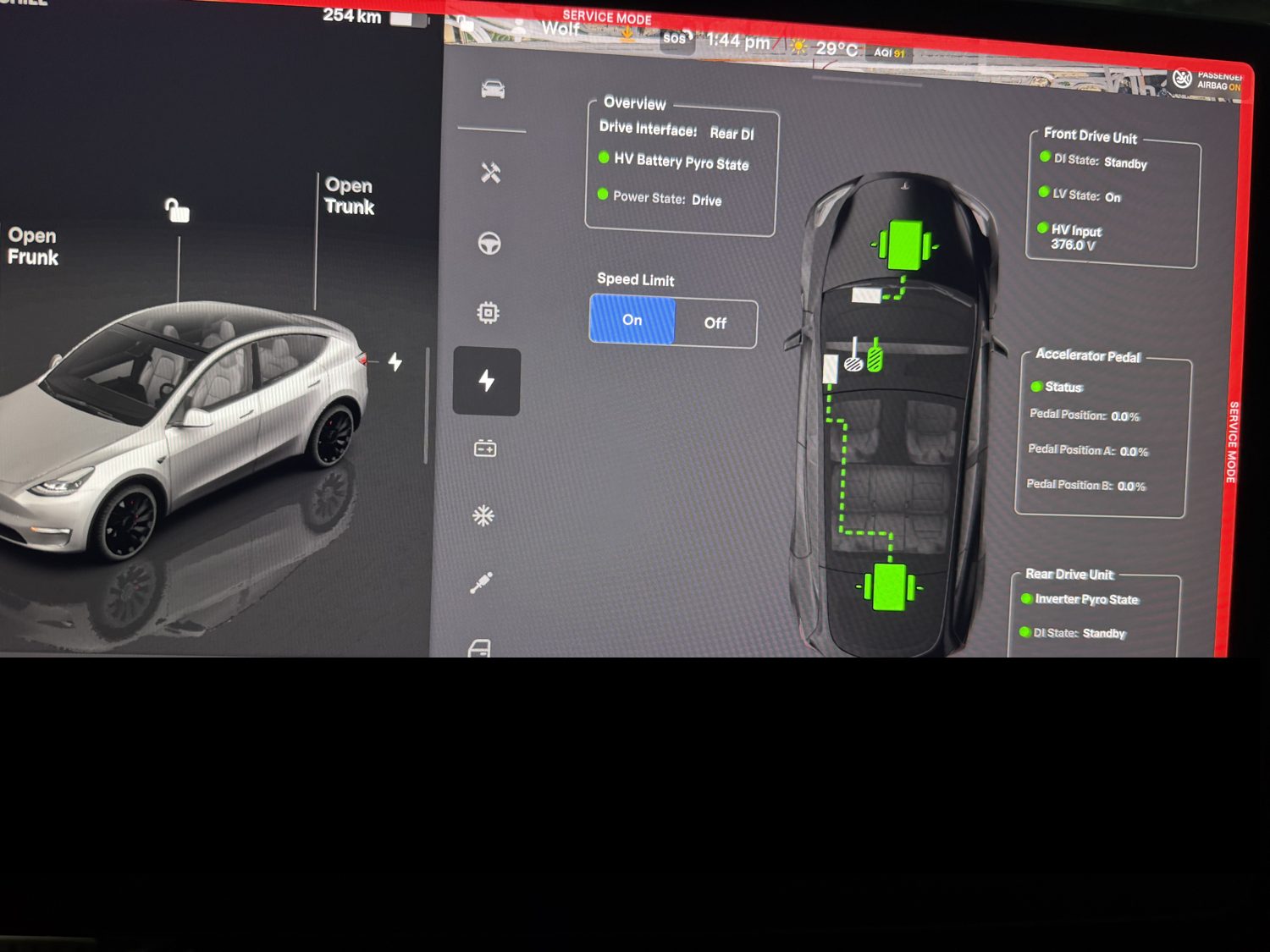
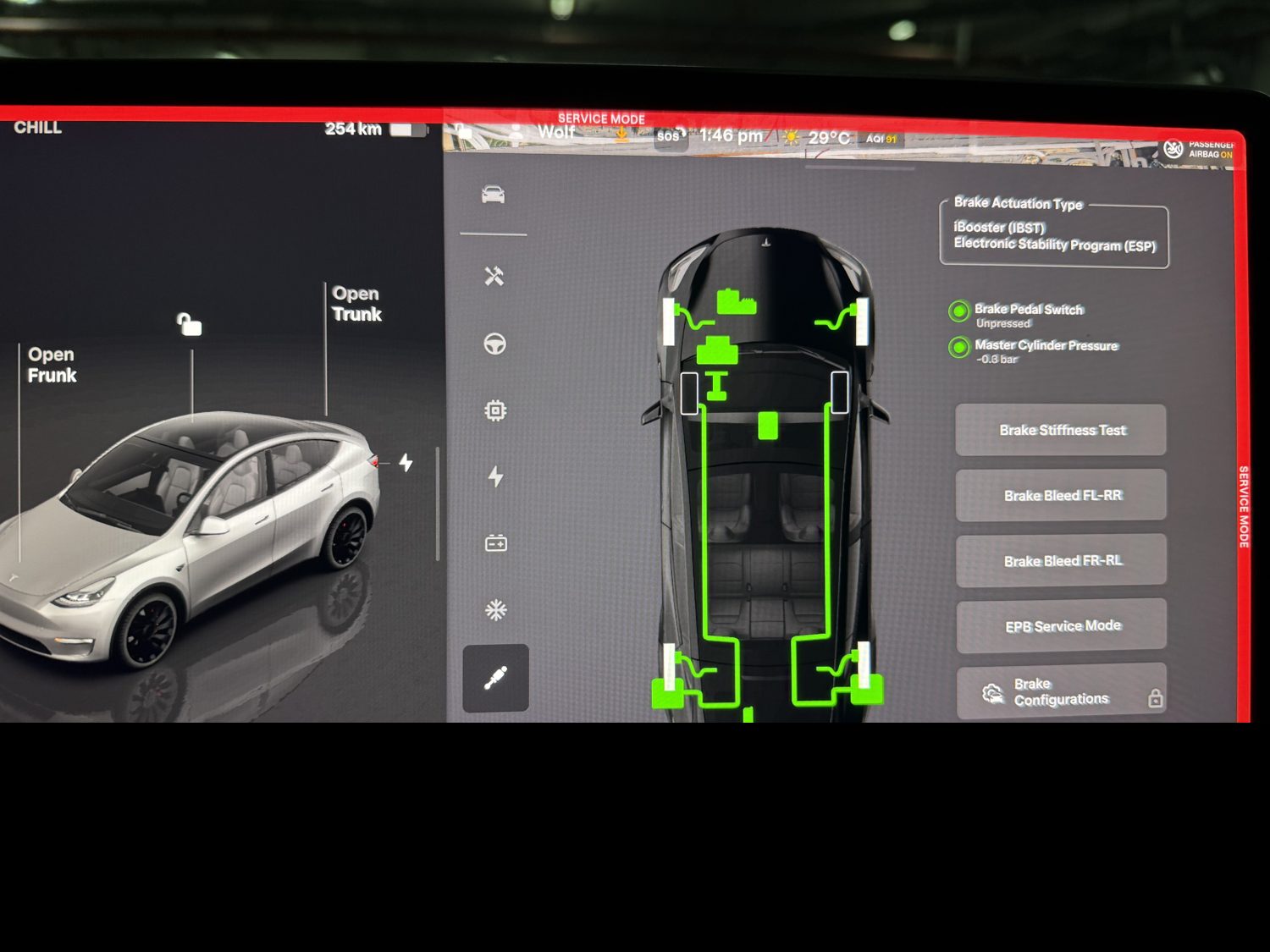
And the honest limits, in one paragraph, because they are the credibility of everything above. Service Mode shows condition now plus alert history, the heat story is a cluster, battery health below the curve, early or repeated 12-volt replacements, soft thermal performance, heat or isolation codes, never a single counter. The seller must permit the session, and you read, you do not run routines. Clear-all can wipe DTCs and “failed to load” is not “clean.” LFP range readings need a recent full charge to mean anything. And several thresholds here, the kilo-ohm lines, the millivolt judgments, come from vendors and owners rather than Tesla’s published documentation, the state-of-health percentage and the alert log are the documented backbone, which is exactly how this page weights them. Sources behind every claim: Tesla’s Service Mode user guide and current service manuals, Tesla’s published fleet degradation data, and the named owner and vendor guides, Not A Tesla App, TeslaTap, the BMS and LV repair specialists, and the Tesla Motors Club threads, including the Dubai ones, where the owner-reported figures live.
Where this fits in the buy: it is phase five of our inspection checklist, step five of the buying process, and the verification layer under everything the Model Y guide says about cohorts. Fifteen minutes, six panels, and the car has told you its life.
Service Mode for buyers, asked directly
Is it legal and safe to open Service Mode on a car I am viewing?
It is a documented Tesla feature behind a published access code, any owner can open it, so the only permission you need is the seller’s. Safe follows one rule: read panels, never press action buttons, and never drive in Service Mode. The diagnostic routines are for service procedures, the panels are for anyone.
Can a seller hide the car’s history before a viewing?
Partly, and the gaps are exactly where you look. DTCs can be cleared with the panel’s own buttons, but the 100-entry alert history is harder to scrub, the permanent Service History entries cannot be edited at all, and crash or flood damage latches restraint codes that a normal scan tool cannot clear. A car can be polished, its restraints module has a longer memory.
How do I check battery health in a twenty-minute viewing?
The full state-of-health test needs the car overnight on AC, so at a viewing you use the proxy: a recent 100 percent charge, the rated range against the trim’s original figure, and the imbalance and isolation readouts if the seller allows the deeper panels. On an LFP car insist the full charge is recent, the estimate drifts between calibrations.
Does Service Mode show accident history?
It shows the symptoms that survive one: latched restraint faults, the collision loadshedding alert, a replaced restraints module, and low HV isolation if water has been where it should not be. A flood-damaged restraints module cannot be reset, which makes this panel set the closest thing a UAE import buyer has to a lie detector.
How do I tell HW3 from HW4 without entering anything?
Look at the cameras. HW4 lenses carry a visible red tint and the windshield housing shows two red lenses with one black blank, HW3 lenses are clear. The screen confirms it under Software and Additional Vehicle Information, and our hardware cliffs page maps which factories built which computer when.